K
Krishal Shah5 min read
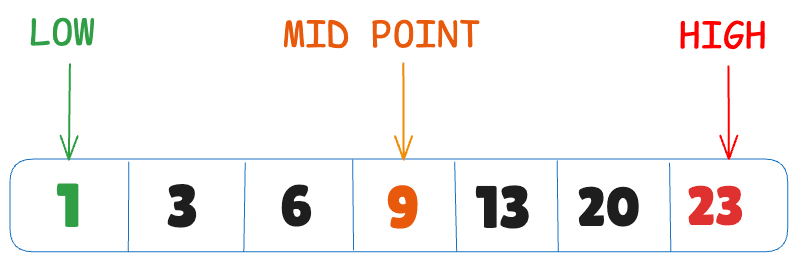
Binary search is an efficient algorithm that works on sorted lists by repeatedly dividing the search interval in half, eliminating half of the remaining elements each time, until the target is found or determined to be absent. If the element is present in the list, it will return the element in at most log₂ n steps. If the element is not present, it will return null.
Now that we've covered the basic definition, let's bring binary search to life with a real-world example. Imagine this: what if I asked you to guess a number I'm thinking of, between 1 and 100? It sounds simple, but trust me, the process might not be as easy as you think.
Starting from 1 and working your way up one by one until you find the right number would quickly become inefficient and time-consuming, with each incorrect guess adding to the frustration.

Now, let's say I pick a number, and I tell you whether it's too high or too low.
You start with 50, and I say, “Too high.” At this point, you've already eliminated 50 numbers—half the possible numbers. You now know that 50-100 are all too high.
Next, you guess 25 (halfway between 0 and 50). I say, “Too low.” Again, you've eliminated half of the remaining numbers, so now you know that 1-25 are too low.
Next, you guess 37 (halfway between 25 and 50). I say, “Too low” again. Once again, you eliminate half of the remaining numbers. Now, you know that 37-50 are the only possibilities.
Next, you guess 43 (halfway between 37 and 50), and I say, “Voila! You got it right!”
Did you notice the pattern?
The earlier approach required you to make 43 guesses. But with the new approach, you reduced it to just 4 guesses.
This is the magic of binary search! With binary search, you eliminate half the numbers every time. It cuts down the number of steps needed to find an item, even as the list gets bigger. That's what makes it such an efficient algorithm, especially when dealing with large datasets.
Imagine you have 153 items in your list. How many steps do you think it'll take to find the right one?
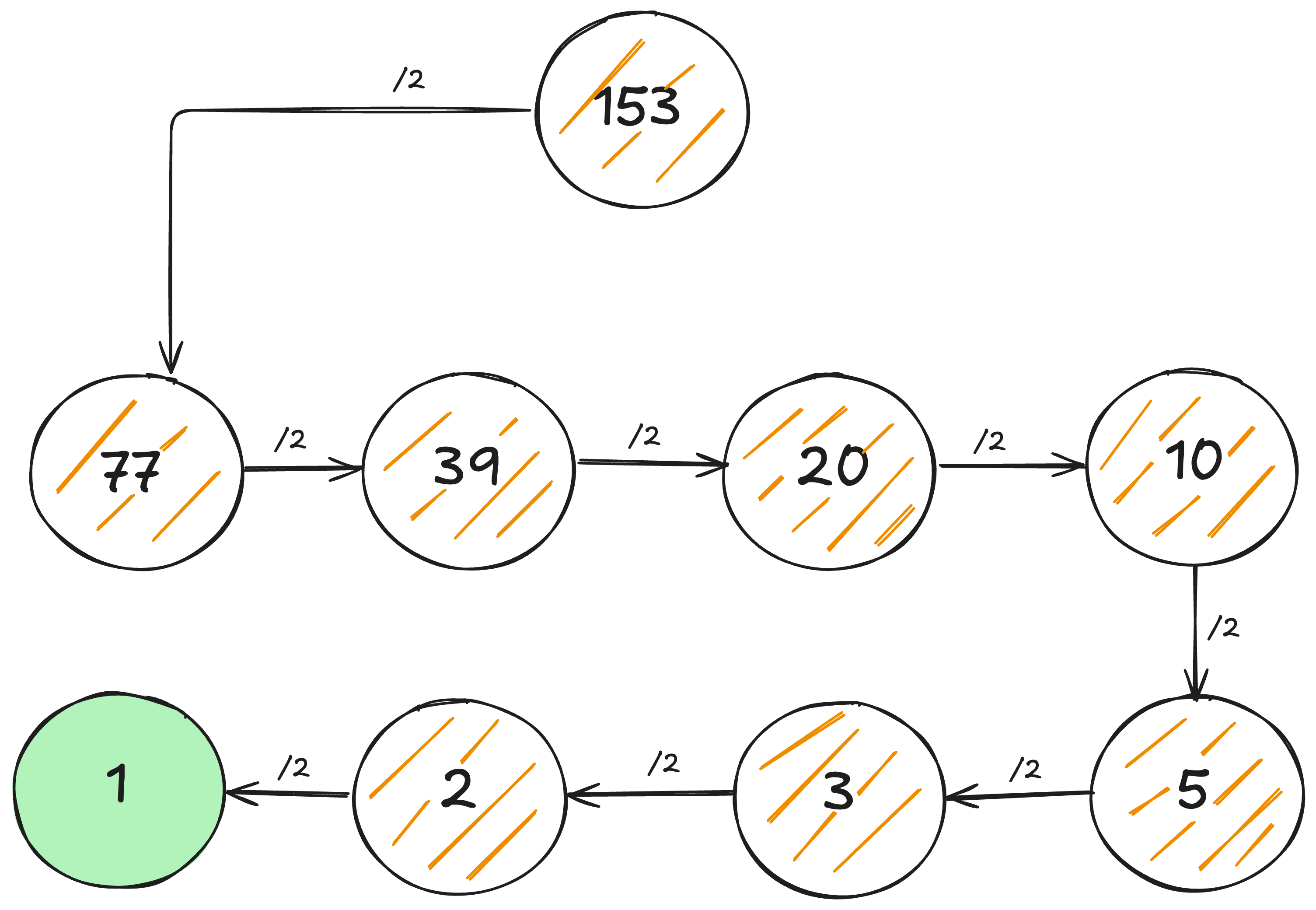
8 steps, impressive!
Alright, here's another one for you! You've got 128 items, and you need to find the right one. How many steps do you think that'll take?
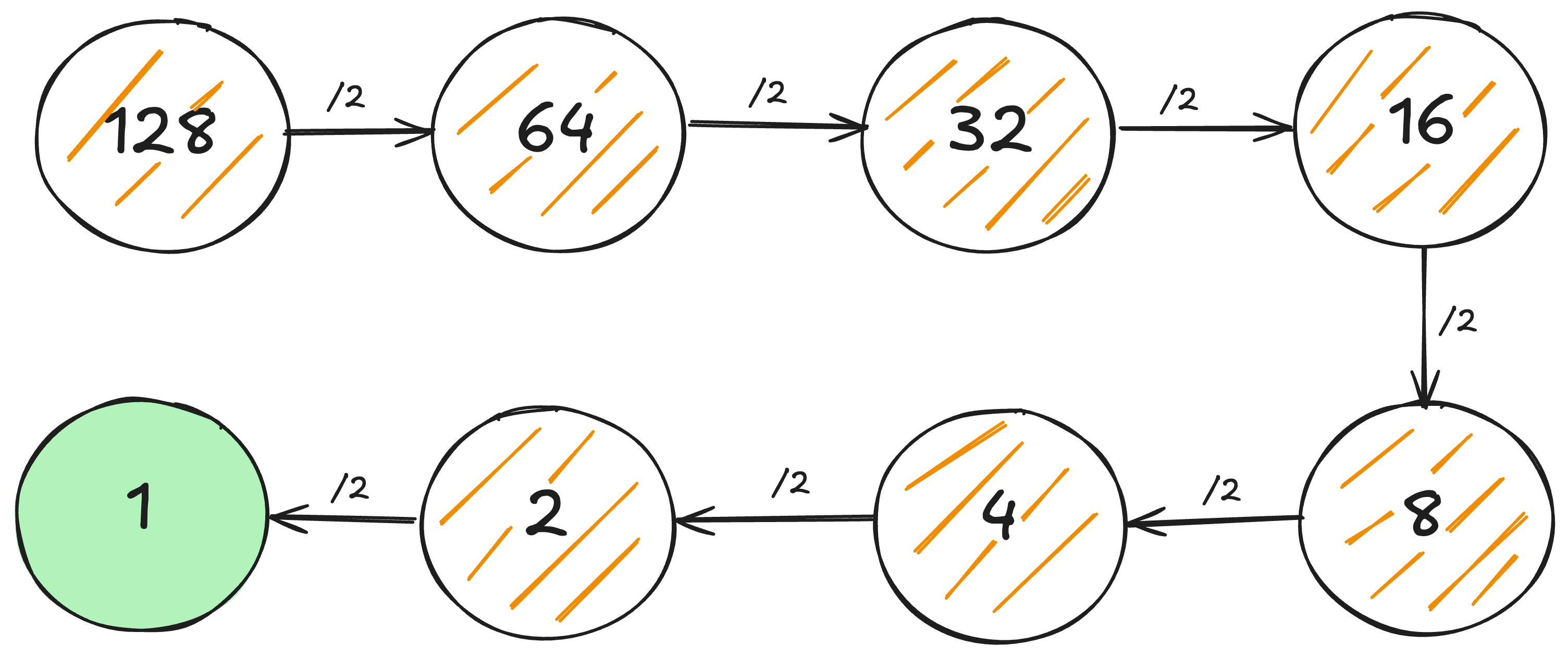
Just 7 steps!
Now, let's make it a bit tougher. What if we double the list size? Instead of 128, you've got 256 items. How many steps will it take to find the right one? Let's find out!
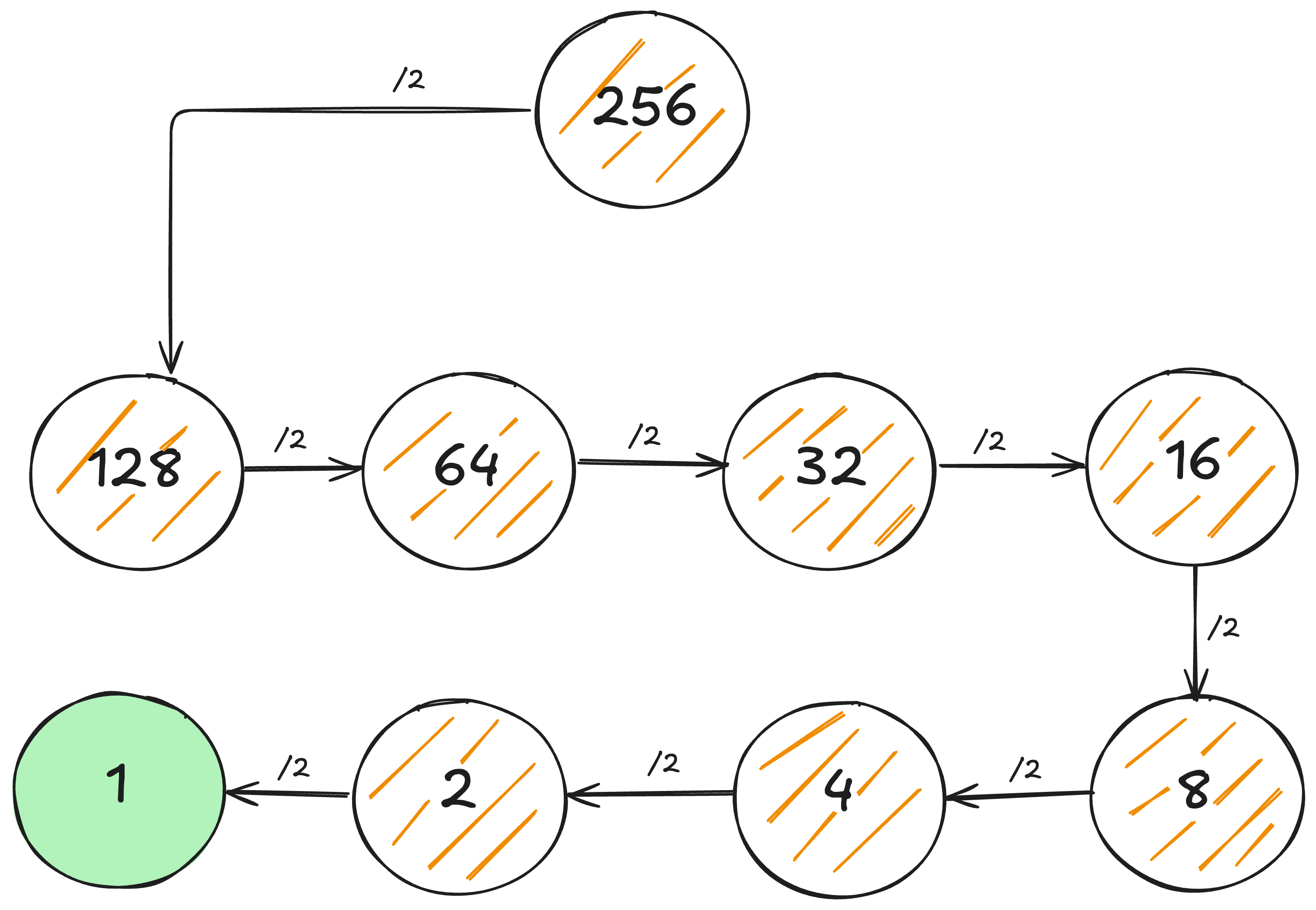
Only 8 steps! That's right, even with twice as many items, you only need one extra step.
🧮 Mathematical Explanation
Given a list of n items, binary search will take a maximum of log₂ n steps (in the worst case), whereas a simple search will take n steps.
This is a great chance to explore Logarithms! If you're curious,
here's
a fantastic resource that explains it in more detail!
For simplicity's sake, think of log₁₀ 100 like this: "How many times do we multiply 10 by itself to get 100?" The answer is 2 because (10 x 10) gives us 100. Essentially, a log is the opposite of an exponent!
Write a function binarySearch which takes a sorted array and an item. If the item is in the array, the function returns its position. Otherwise it will return null.
Javascriptconst list = [1, 5, 7, 8, 9];

function binarySearch(arrayOfItems, item) {
  // Low and high
  // are supposed to keep a track of
  // part of the list that will be searched.
  let low = 0;
  let high = arrayOfItems.length - 1;

  // Unless the list hasn't been narrowed down to 1 element,
  // keep on going in the loop
  while (low <= high) {
    // Checking the middle element
    // Rounding down if low + high is not an even number
    const mid = Math.floor((low + high) / 2);
    const midElement = arrayOfItems[mid]; // The middle element

    // If the middle element is found, return it.
    if (midElement === item) {
      return midElement;
    }
    // If the middle element is greater than the item,
    // update the high to middle element - 1
    // in order to eliminate all the greater elements.
    else if (midElement > item) {
      high = mid - 1; // midElement was too high
    }
    // If the middle element is lesser than the item,
    // update the low to middle element + 1
    // in order to eliminate all the lower elements.
    else {
      low = mid + 1; // midElement was too low
    }
  }

  return null;
}

console.log(binarySearch(list, 9)); // 4 [index starts with 0]
console.log(binarySearch(list, 3)); // null [Not found]
⚠️ Note Binary search works only when your list is in sorted order.
So there you go, binary search is a powerful tool that can save you time and effort when dealing with large datasets. I am sure you can tackle searches more efficiently and with confidence now that you understand the underlying concept. The next time you face a massive list, you'll know exactly how to find what you're looking for—quickly and effectively!
Happy searching! 🫶🏻